You probably use Notepad for opening a few simple documents, edit some html codes or CSS etc.We all do that, but what if you can open them with a better Notepad? What if you can see different colors when you use a html code or try to open a library in C++? That would help a lot wouldn't it? Well guess what this little program can do?
You:All those things above?
Me:Oh yeah, and even more.
Showing posts with label Windows. Show all posts
Want to check your system information and see it all in one place?Then give this little program a try.It was made by ArvinSoft.
Change Log:
· Now Retrieves the Hard disk name
· Interface Improved
· Optimized Performance
You can get the program here.
Disk Management,
Font Viewer,
Hard disk drive,
Hardware,
Information,
Process,
Process Info,
System Information,
Viewer,
Windows
Change Log:
· Now Retrieves the Hard disk name
· Interface Improved
· Optimized Performance
You can get the program here.
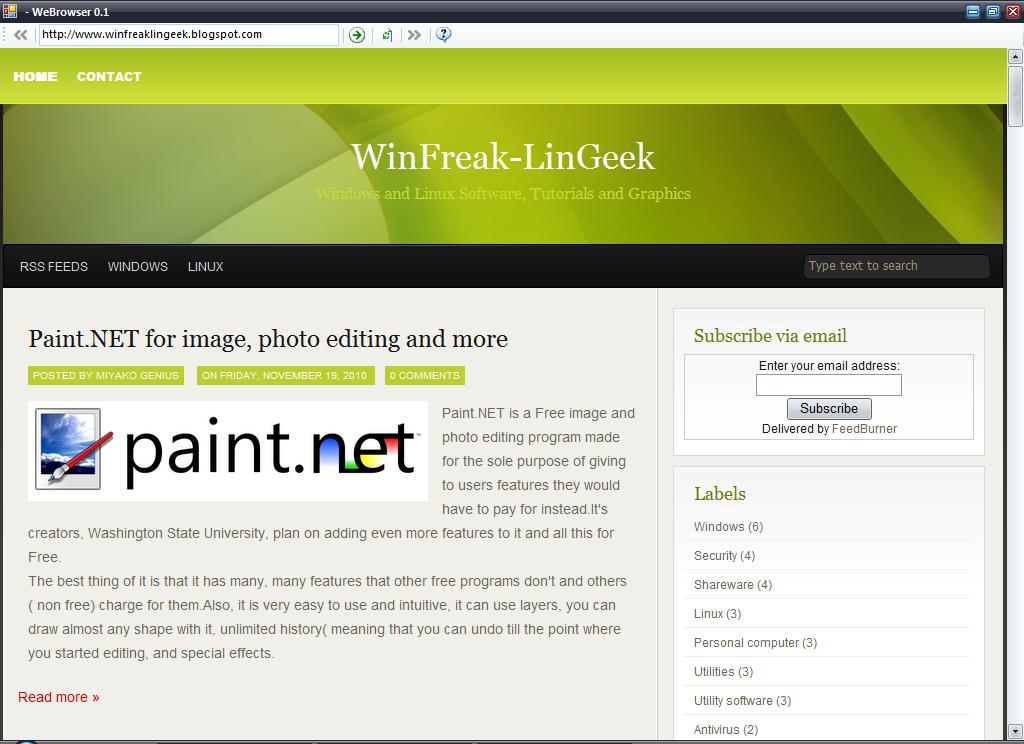
WebBrowser is the simplest browser you can find at the moment, the only features it has being typing a URL, and moving forward and backwards through webpages, and also refreshing them. If you wanna see how it is to browse simple and efficient, without any other features, like they did in the old days well this is what you were looking for.You just can't make it simpler than that.
Get the latest version of it here.
Clients,
Internet,
Web browser,
Windows,
WWW
Get the latest version of it here.
Paint.NET is a Free image and photo editing program made for the sole purpose of giving to users features they would have to pay for instead.It's creators, Washington State University, plan on adding even more features to it and all this for Free.
The best thing of it is that it has many, many features that other free programs don't and others ( non free) charge for them.Also, it is very easy to use and intuitive, it can use layers, you can draw almost any shape with it, unlimited history( meaning that you can undo till the point where you started editing, and special effects.
Aero Glass,
Clone Stamp,
Clone tool,
Graphics,
Microsoft,
Paint.NET,
Utilities,
Utility software,
Wallpaper,
wallpapers,
Washington State University,
Windows,
Windows Aero
The best thing of it is that it has many, many features that other free programs don't and others ( non free) charge for them.Also, it is very easy to use and intuitive, it can use layers, you can draw almost any shape with it, unlimited history( meaning that you can undo till the point where you started editing, and special effects.
Still having some trouble with malware huh? That antivirus of yours didn't do it job properly or you just made the mistake of turning it off for a while? Well don't worry because there are a lot of ways to get rid of it.I presented earlier on the blog a little application called AVERT Stinger made by McAffe and if that doesn't do the trick then you can try this more performant piece of software called Norman Malware Cleaner.
Antivirus,
Malicious Software,
Malware,
McAfee,
Microsoft Windows,
Norman,
Personal computer,
Security,
Spyware,
Utility software,
Windows
MadAppLauncher is a handy, easy to use, small, simple application launcher made by madproton. You just set the programs and hotkeys with a few clicks and you are good to go.Sounds simple and it actually is.
You can do a lot of things with it and the that makes me like it so much.Here's a list of what you can do:
Desktop and System,
Drag-and-drop,
Keyboard shortcut,
Management,
Shareware,
Utilities,
Utility software,
Windows
You can do a lot of things with it and the that makes me like it so much.Here's a list of what you can do:
- Hotkey to launch MadAppLauncher application
- Ability to create, open, and save configuration
- Assign 30 programs for each of the 10 tab pages. A total of 300 per configuration.
- Press a key to find a program; 0-9 to activate tabs and the corresponding letter/symbol to launch a program
- Organize better by assigning a configuration file to a button - effectively creating a cascading set of programs
- Options like Always On Top, Auto Hide, Always Center on Screen, change hotkey
- Drag and Drop files
You can get the latest version and more info here.
How many times to your need a restore point because you just installed a new piece of software that messed up your PC or you modified some settings and you don't know how to revert them?I know I did a few times and probaby you did too.So a restore point would have been heavenly at the time.Thank God for windows making a lot of backups right?
Backup,
Microsoft Windows,
Operating system,
Personal computer,
Shareware,
System Restore,
Utilities,
Windows
Secure Folder is a tiny and simple program made for users who want to secure certain folders with a password or even encrypt them using 256-bit AES (Rijndael) algorithm for encryption of files.
The software can offer different kinds of protection like locking,hiding and encrypting, and combinations of these 3.It also clears traces of recently accessed documents, supports drag&drop of files and has an update checker.

Some other features that might interest you are:
- It automatically finds the wand.dat file and in case it doesn't find it you can suggest the path to it.
- You can save the passwords in a .txt file or a .html one.
- You can sort the passwords by user name or website.
- To view the passwords after recovery just click Show Password button( this is for security reasons).
Hope you enjoy this soft and try it since it's totally Free!You can get it here.